For freelancers and hourly services
Free hourly invoice template
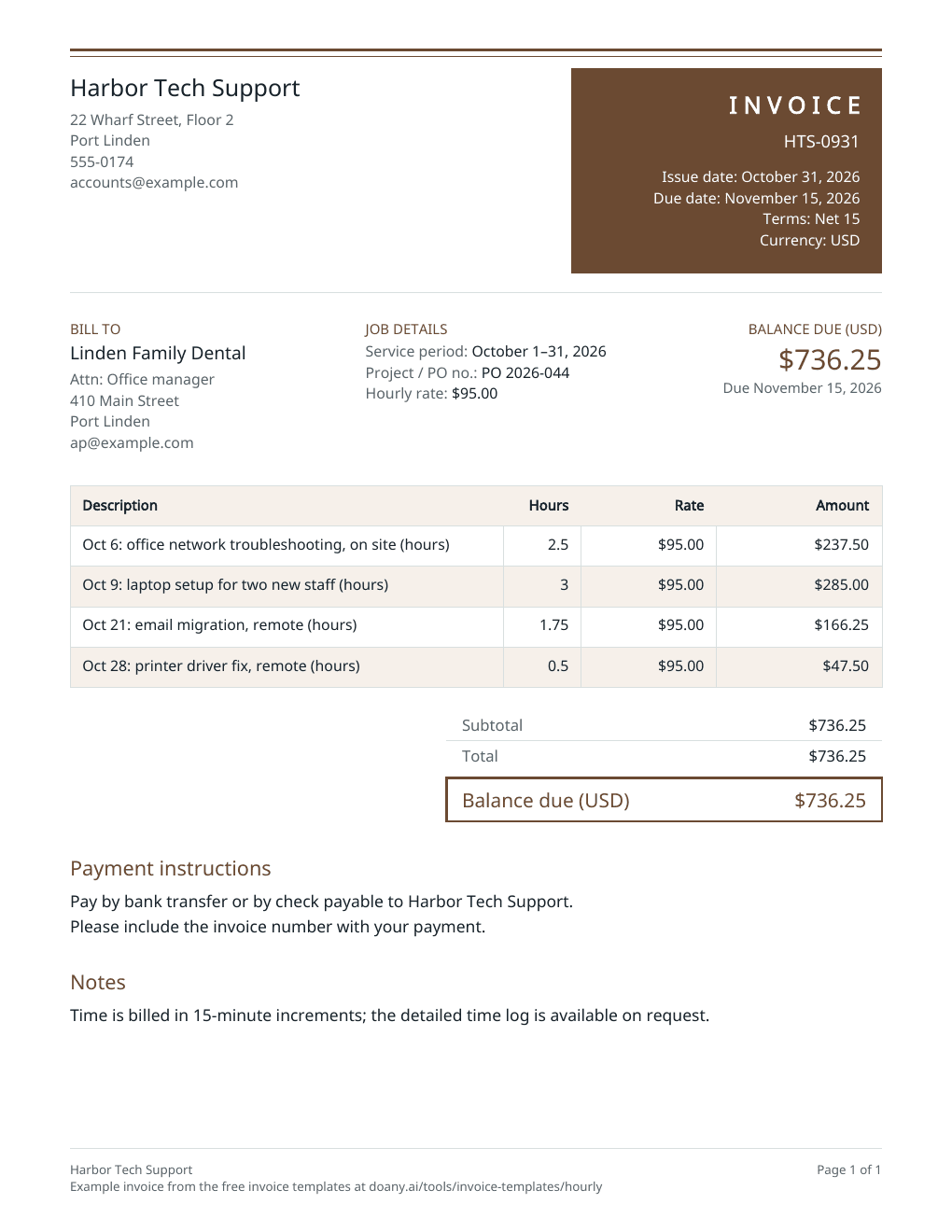
List each date, what you did and how long it took, at your hourly rate, and the invoice adds it up for the service period. Print the blank PDF, or edit the filled example below.
- Free to use
- No account needed
Choose your template
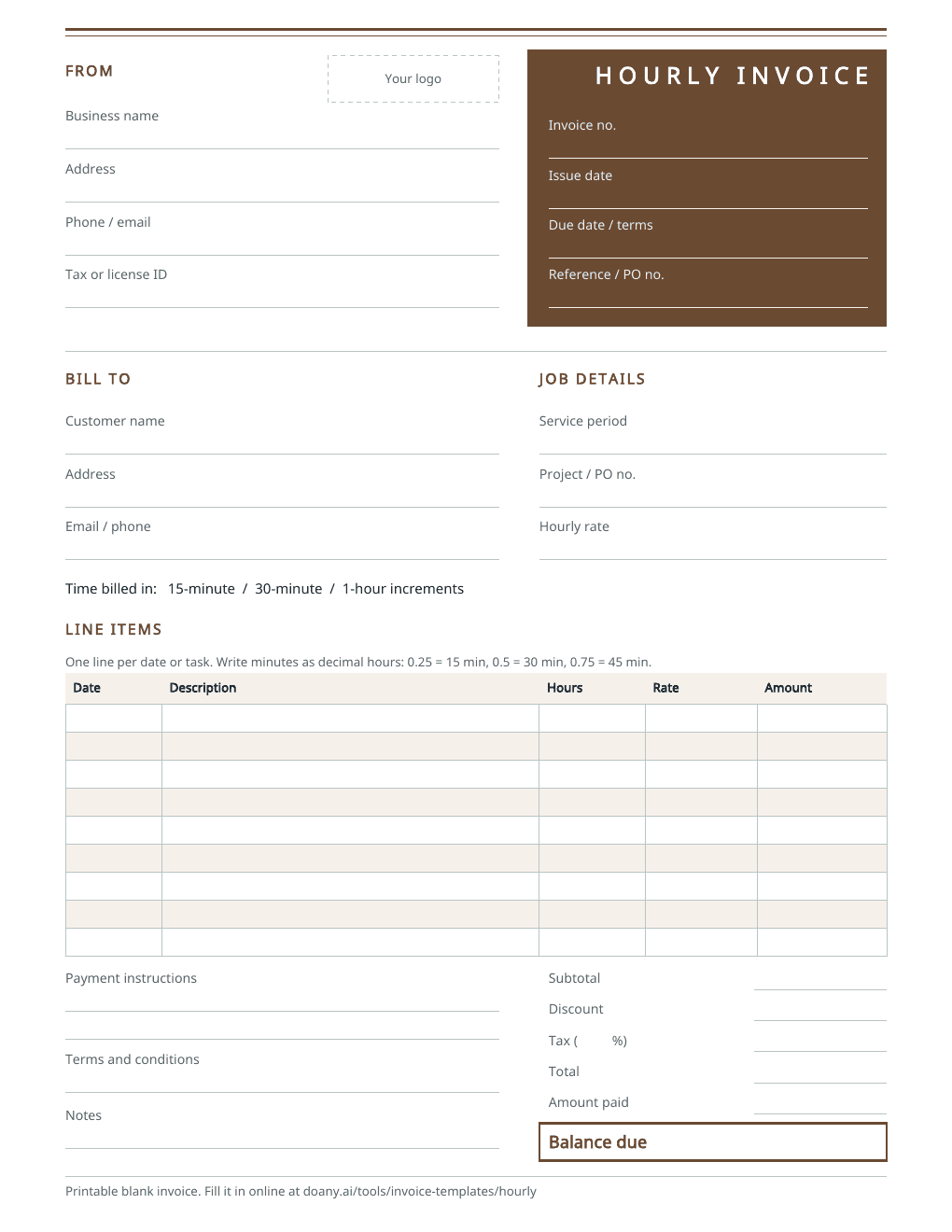
Download a blank PDF to print, view the filled example, or edit the invoice online.
Also on A4 paper: blank · filled example
Your invoice
Check the customer details, tax and payment terms before you send it. This page does not send the invoice or record payments.
$736.25Balance due in USD, by November 15, 2026
- Total
- $736.25
- Amount paid
- $0.00
Your changes are kept on this device as you work.
Invoice details
Use your real business and customer details.
Your invoice is built in this browser and the latest one is kept on this device until you press Forget on this device. Download a copy to keep it.
What an hourly invoice shows
- Service period
- In Job details, under Service period: “October 1–31, 2026”.
- Date and task
- At the start of each line’s description: “Oct 6: network troubleshooting”.
- Hours
- The quantity, with up to four decimal places: 0.25 for 15 minutes.
- Hourly rate
- The unit price on each line, and under Hourly rate in Job details. Put work at another rate on lines of its own.
- Client PO or project
- In Job details, under Project / PO no.
- Rounding rule
- In Notes, if you bill in increments such as 15 minutes.
Fill in the hourly invoice
The example bills a month of IT support to a dental office: four dated entries at one hourly rate, under the client’s purchase order number.
Add your business and the client
Enter your business details and the client’s billing contact. Then fill in Job details, beside Bill to: the service period, their purchase order or project number and your hourly rate.
Enter one line per date or task
Start each description with the date and say what you did. Enter the hours as the quantity in decimal hours, such as 1.75 for an hour and 45 minutes, and your hourly rate as the unit price.
Check the hours, then download
Compare the total hours with your time log, choose the terms you agreed, press Update invoice and download the PDF.
Fit the invoice to how you track time
Hourly work can be billed by the entry, by the period or by the rate.
One line per day or task
What to change
List each date and task with its hours, as in the example.
Before you use it
Every entry should match your time log or calendar.
One total for the period
What to change
Bill the period on one line, such as “Support, Oct 1–31 (hours)”, and keep the detailed log as backup.
Before you use it
Say in Notes how the client can see the breakdown.
Two rates
What to change
Bill the work at each rate on its own lines, such as on site and remote, or standard and after hours.
Before you use it
Name the rate in each description, so the client sees why the prices differ.
Check the hourly invoice before you send it
- The hours on each line match your time log.
- Minutes are written as decimal hours: 15 minutes is 0.25, 45 minutes is 0.75.
- The rate is the one you agreed for this kind of work.
- The service period in Job details matches the dates on the lines.
- The invoice number has not been used before.
Minutes as decimal hours
Enter time as decimal hours: 0.25 for 15 minutes, 0.5 for 30 and 0.75 for 45. The editor multiplies the hours by the rate and rounds each line half up to the cent, so 1.75 hours at $95.00 is $166.25.
Invoice or timesheet?
A timesheet records the hours; an invoice asks to be paid for them. Bill from a timesheet by putting each day’s total on a line, or bill the period’s hours on one line and keep the timesheet as backup.
Made in your browser
The editor builds the preview and the PDF in this browser. It keeps only your latest invoice, on this device, and does not email the invoice, take payments or mark anything as paid; a Pay online link prints as you paste it and goes to your own payment page. Download the PDF or text to keep a copy. An AI answer in the chat sends the invoice’s details with your question, but never your logo, your signature picture or your Pay online link.
Useful answers
What should an hourly invoice include?
Your business details, the client, an invoice number and date, the service period, each date or task with its hours, your hourly rate, the total, the due date and how to pay.
How do I write minutes on an hourly invoice?
Use decimal hours: 0.25 for 15 minutes, 0.5 for 30 and 0.75 for 45, so 2.25 is two hours and 15 minutes. The editor takes up to four decimal places and rounds each line to the cent.
Can I bill different hourly rates on one invoice?
Yes. Put the work at each rate on its own lines, with that rate as the unit price and named in the description, such as after hours or remote. In Job details, list both rates under Hourly rate, or leave it blank.
How often should I send an hourly invoice?
As often as you agreed with the client, such as weekly, every two weeks or monthly. Send one invoice per period, each with a new invoice number.
Can I print a blank hourly invoice?
Yes. The blank PDF has spaces for the service period and rate, and a date, task, hours, rate and amount on each line, plus the totals. It comes on US Letter and A4 paper. To fill it in on screen instead, edit the example on this page and download your own PDF.
Is this hourly invoice template free?
Yes. Download the blank or filled PDF, or edit the example and download your own, with no account. The PDF is made in your browser.