For business owners
Free invoice templates
Blank and filled invoices for seven kinds of work. Print a blank PDF, or open a template, change the example to your own details and download it.
- Free to use
- No account needed
Invoice templates by type of work
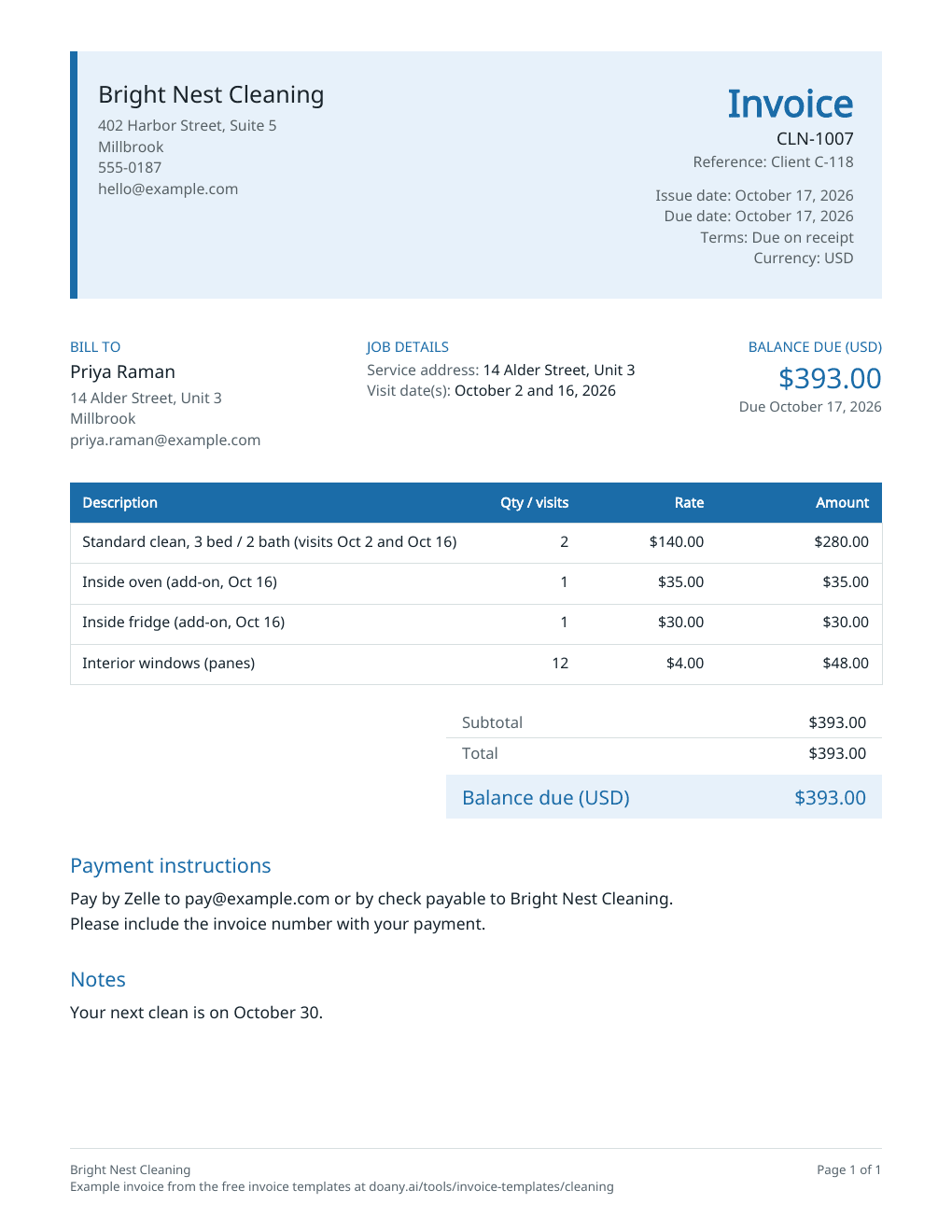
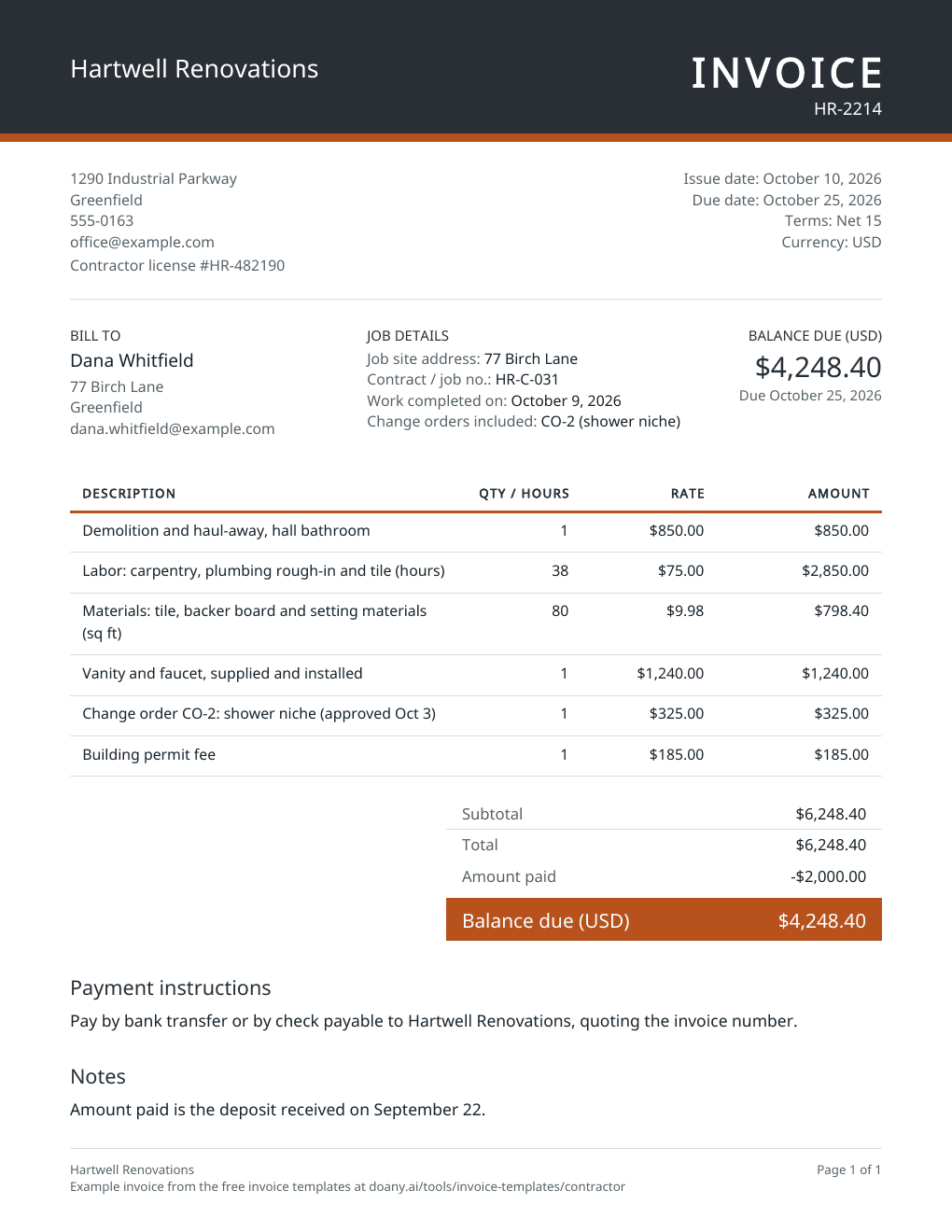
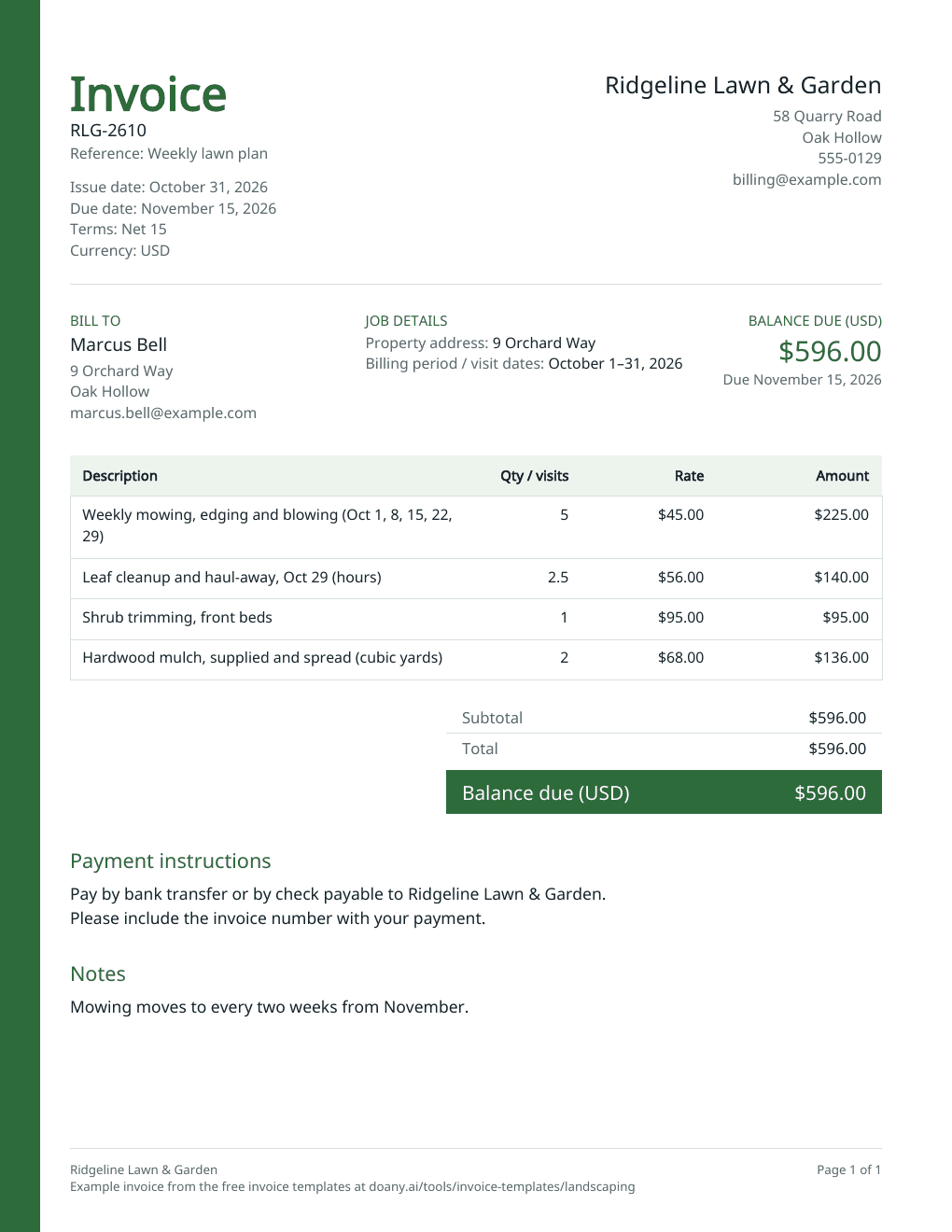
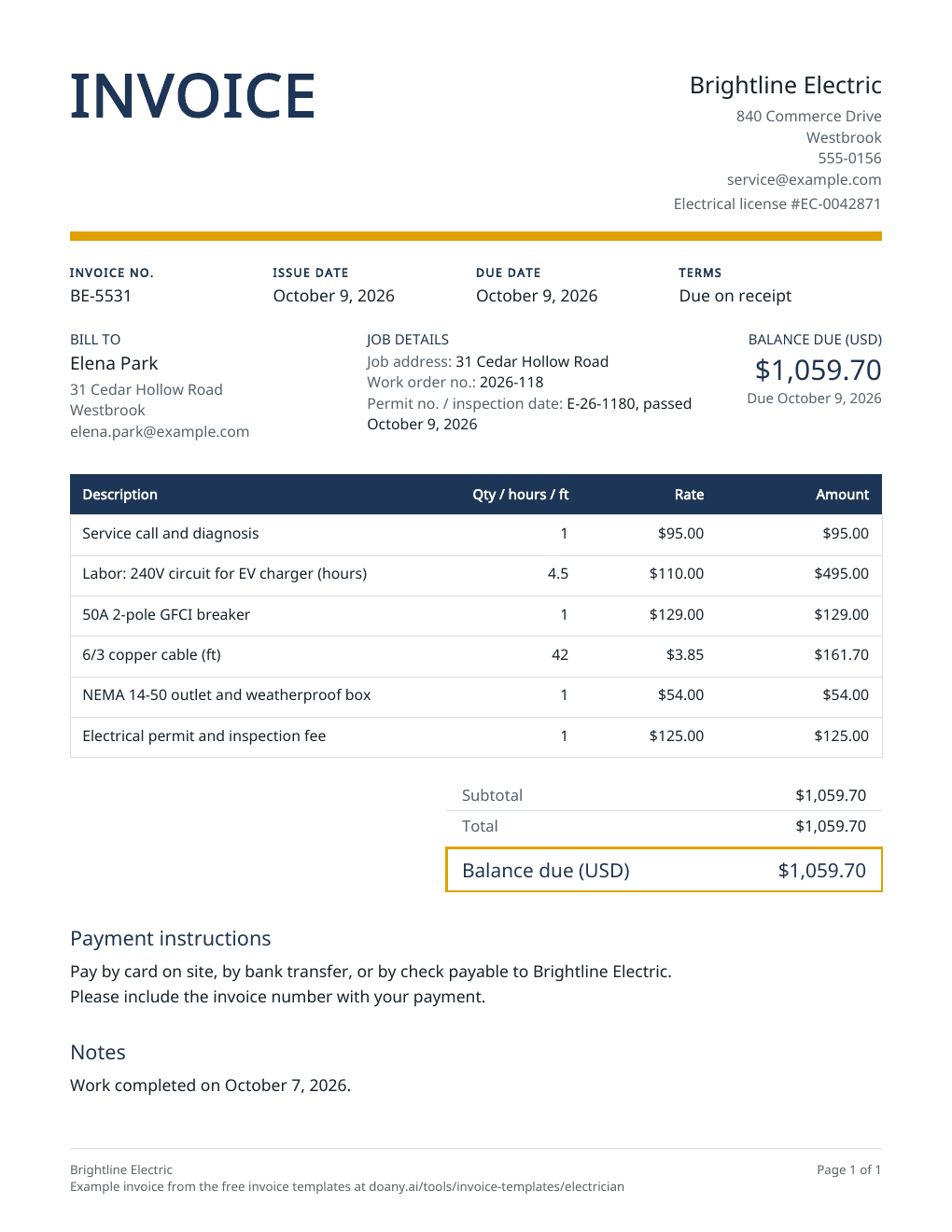
Per visit, with add-onsCleaning invoice templateVisits, add-ons and supplies, with the service address and dates.Blank PDF: Cleaning invoice template Labor, materials and a depositContractor invoice templateLabor, materials, change orders and permits, less the deposit received.Blank PDF: Contractor invoice template Per visit or per monthLandscaping invoice templateA month of visits, cleanups and materials by the unit.Blank PDF: Landscaping invoice template Service call, hours and partsElectrician invoice templateService call, labor hours, parts and permit fees, with your license number.Blank PDF: Electrician invoice template Hours × rate, by dateHourly invoice templateDated entries with hours and a rate, for a week or a month of work.Blank PDF: Hourly invoice template Project fee with a depositWeb design invoice templateDeliverables, approved extras and pass-through costs, less the deposit.Blank PDF: Web design invoice template Monthly fee, billed in advanceRetainer invoice templateThe fee for the period, hours over the plan and approved expenses.Blank PDF: Retainer invoice template
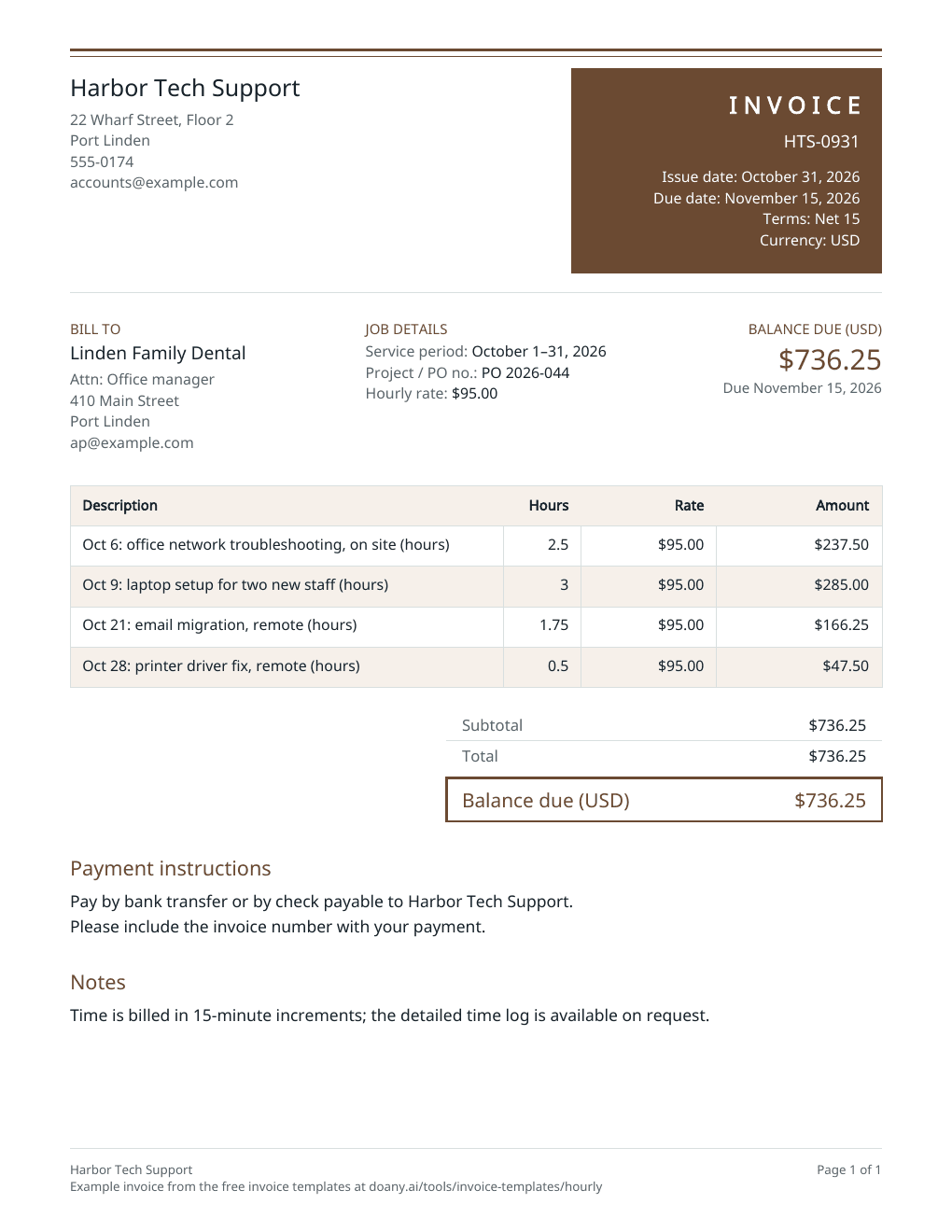
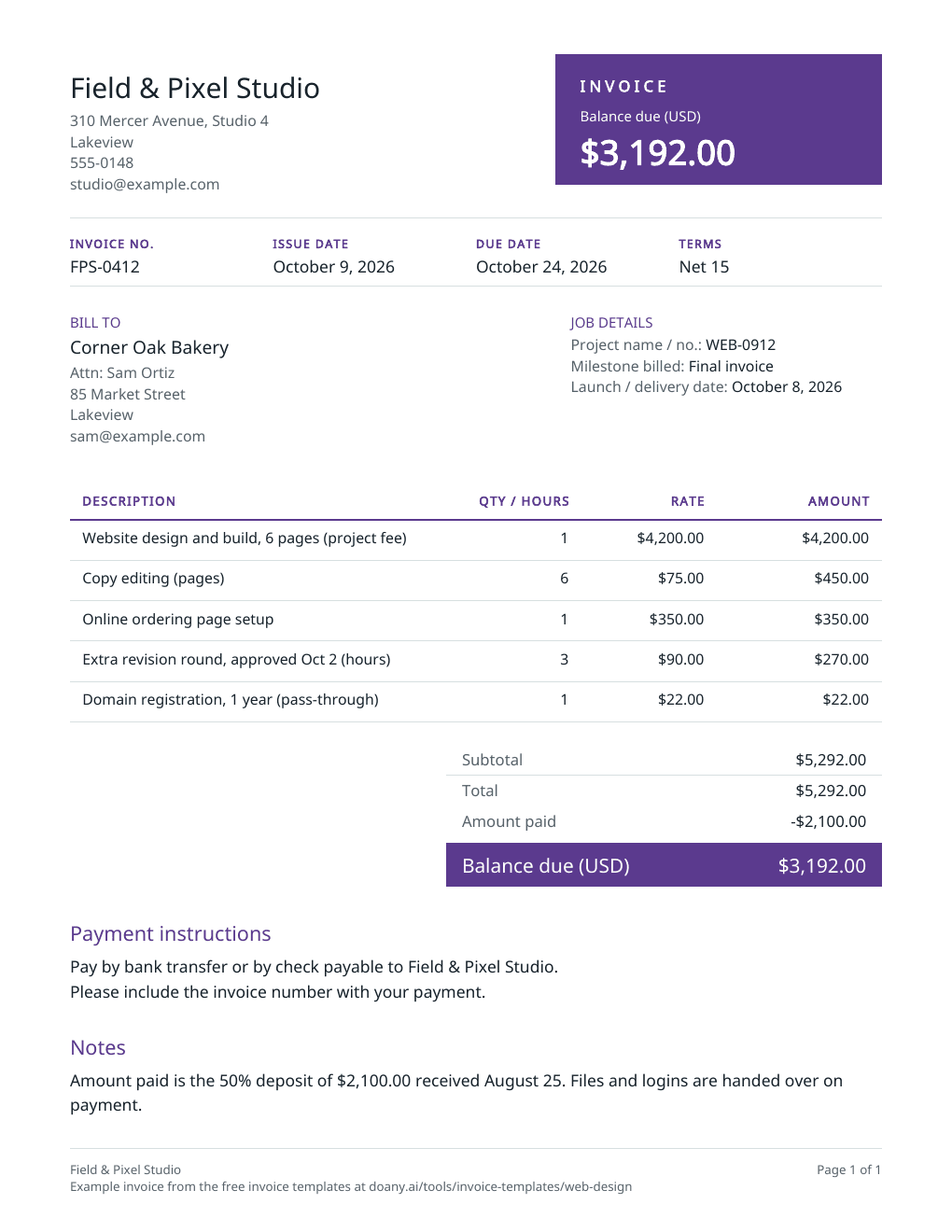
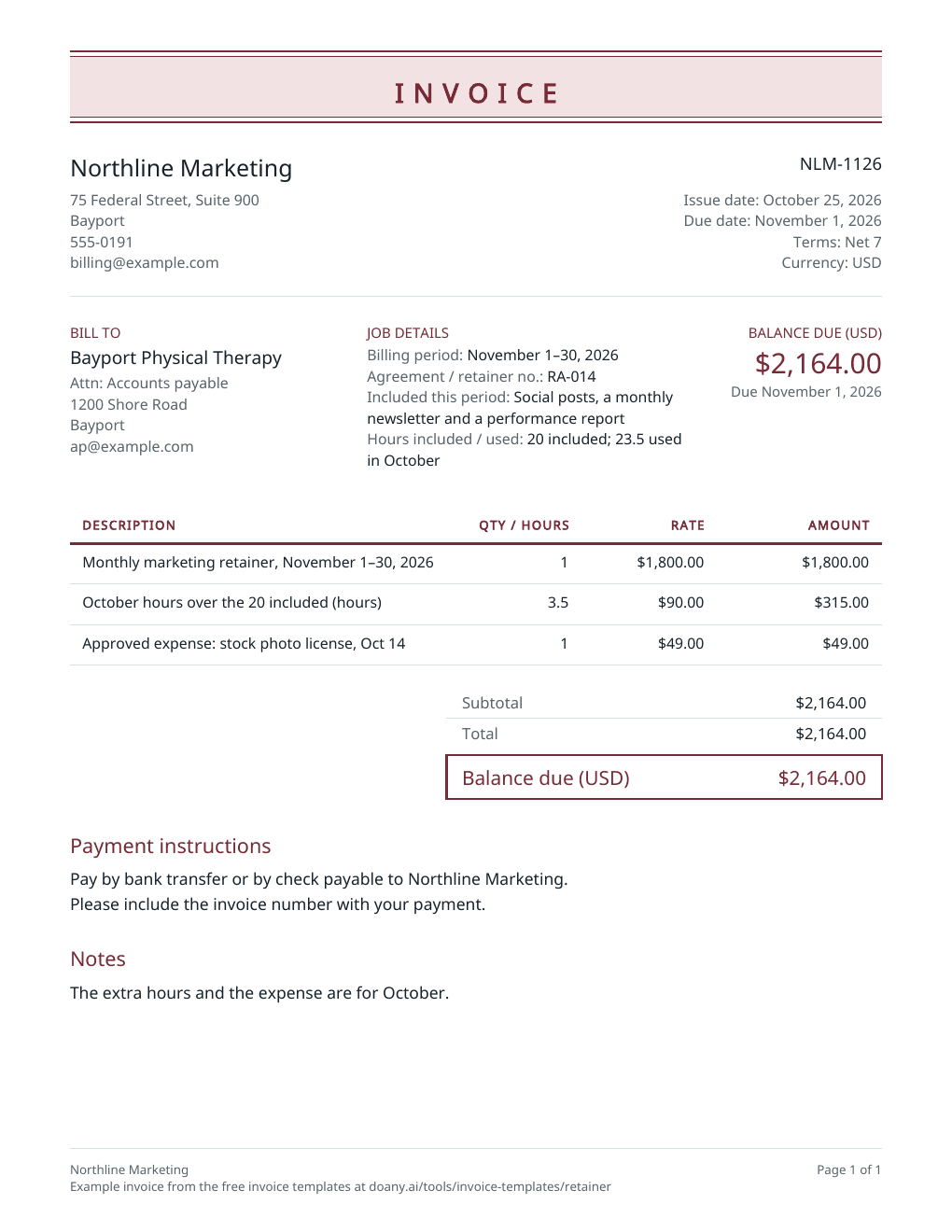
Blank invoice template
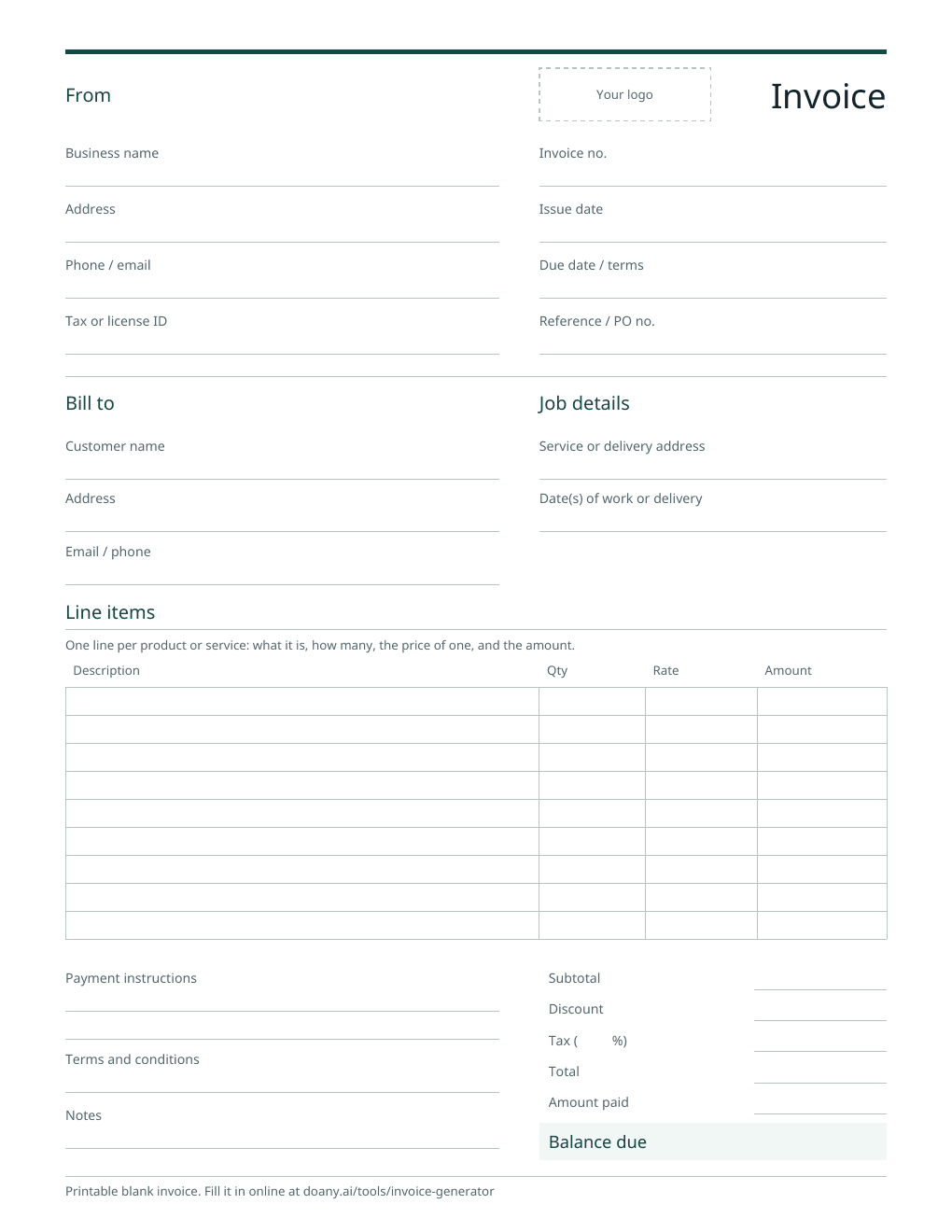
One printable invoice for any business: your details and the customer’s, the invoice number and dates, lines for what you charge, the totals, payments received, and how to pay. It comes on US Letter and A4 paper.
Also on A4 paper: blank PDF
Choose an invoice template by how you bill
Every template opens the same editor in its own design, with a starting example and a blank form made for that kind of work. Pick the one closest to how you charge, then change any line to fit the job.
Pick the template for your work
Open the template for your trade or the way you bill to see a filled example, and download its blank PDF if you fill invoices in by hand.
Fill it in online or on paper
Edit the example on the template’s page and download your own PDF, or print the blank PDF and write it in. Online, every total is worked out to the cent.
Check it, then send it yourself
Check the customer, the amounts and the payment terms before you send it. Sending the invoice and taking payment stay with you.
Which template fits
Match the template to how the job is priced. Any of them can be changed to fit.
Visits and add-ons
What to change
The cleaning invoice template: visits, add-ons and supplies, with the service address and dates.
Before you use it
Bill only the visits made in the period.
Labor, materials and a deposit
What to change
The contractor invoice template, or the electrician template for a service call, hours and parts.
Before you use it
Take a deposit off in Amount already paid, not out of a line price.
Lawn care and garden work
What to change
The landscaping invoice template: a month of visits, cleanups and materials by the unit.
Before you use it
Bill materials in the units you quoted.
Time at an hourly rate
What to change
The hourly invoice template: one dated line per task, with the hours in decimals.
Before you use it
Match the hours to your time log.
A project or a monthly fee
What to change
The web design template for a project fee and its deposit; the retainer template for a monthly fee billed in advance.
Before you use it
Name the project or agreement in Job details.
What every invoice needs
- A unique invoice number, the issue date, and a due date or payment terms.
- Your business name and contact details, and the customer’s name and address.
- A clear description, quantity and price for each line.
- The total, any tax, payments already received and the balance due.
- How the customer can pay you.
Printable or editable
Every template comes as a blank PDF to print and a filled example. The example opens in the editor on the template’s page: change any detail, press Update invoice and download your own PDF or text. Every PDF comes on US Letter and A4 paper; the page starts on the paper used where you are, and you can switch.
One editor behind every template
The templates use the invoice generator’s editor: up to 30 lines, quantities with up to four decimal places, a percentage or fixed discount, one tax rate, a deposit or part payment already received, and 44 currencies. Every total is worked out to the cent. Each template opens in its own design, and you can switch to any of the eight.
Keep a copy of each invoice
Invoices are built in your browser. The editor keeps only your latest invoice, on this device, and does not email invoices or track what is paid. The IRS lists invoices among the records that support your business income, so download a copy of each one you issue.
Sources checked on October 11, 2026: IRS: records that support gross receiptsopens in a new tab
Useful answers
Are these invoice templates free?
Yes. Download any blank or filled PDF, or fill in a template online and download it, with no account.
Can I edit an invoice template online?
Yes. Each template’s page opens its filled example in the editor. Change the details, press Update invoice, then download the PDF or the text.
Is there a blank invoice template I can print?
Yes. The blank invoice for any business, below the templates on this page, suits any kind of work, and each template has its own blank PDF with spaces for that kind of job, such as visit dates, change orders or hours by date.
Which invoice template should I use?
The one closest to how you price the work: per visit, labor and materials, by the hour, a project fee or a monthly retainer. They share one editor, so any template can be changed to fit.
How should I number my invoices?
Give every invoice its own number and never reuse one. A short prefix and a sequence works well, such as CLN-1007 then CLN-1008. Each template’s example has a number; replace it with your next one.
What payment terms should an invoice show?
The terms you agreed with the customer. The editor offers Due on receipt and Net 7, 15, 30 or 60, which set the due date from the issue date, or a custom due date. Due on receipt suits a job paid on the day; a regular client may have Net 15 or Net 30.
Can I change a template’s design?
Yes. Each template opens in its own design, such as Banner for contractors or Ledger for hourly work. Pick any of the eight designs above the preview and the PDF uses it. A design changes how the invoice looks, never its details or totals.
Do the templates come in Word or Excel?
They come as PDF and Word files, and as Google Docs to copy. To fill one in on screen and have the totals worked out, edit it on its page and download a PDF or plain text.
What is the difference between a template and the invoice generator?
They use the same editor. The invoice generator opens on a general example; each template opens on an example for one kind of work, with job details for that work, and adds a blank PDF, Word file and Google Doc made for it.