For agencies and consultants
Free retainer invoice template
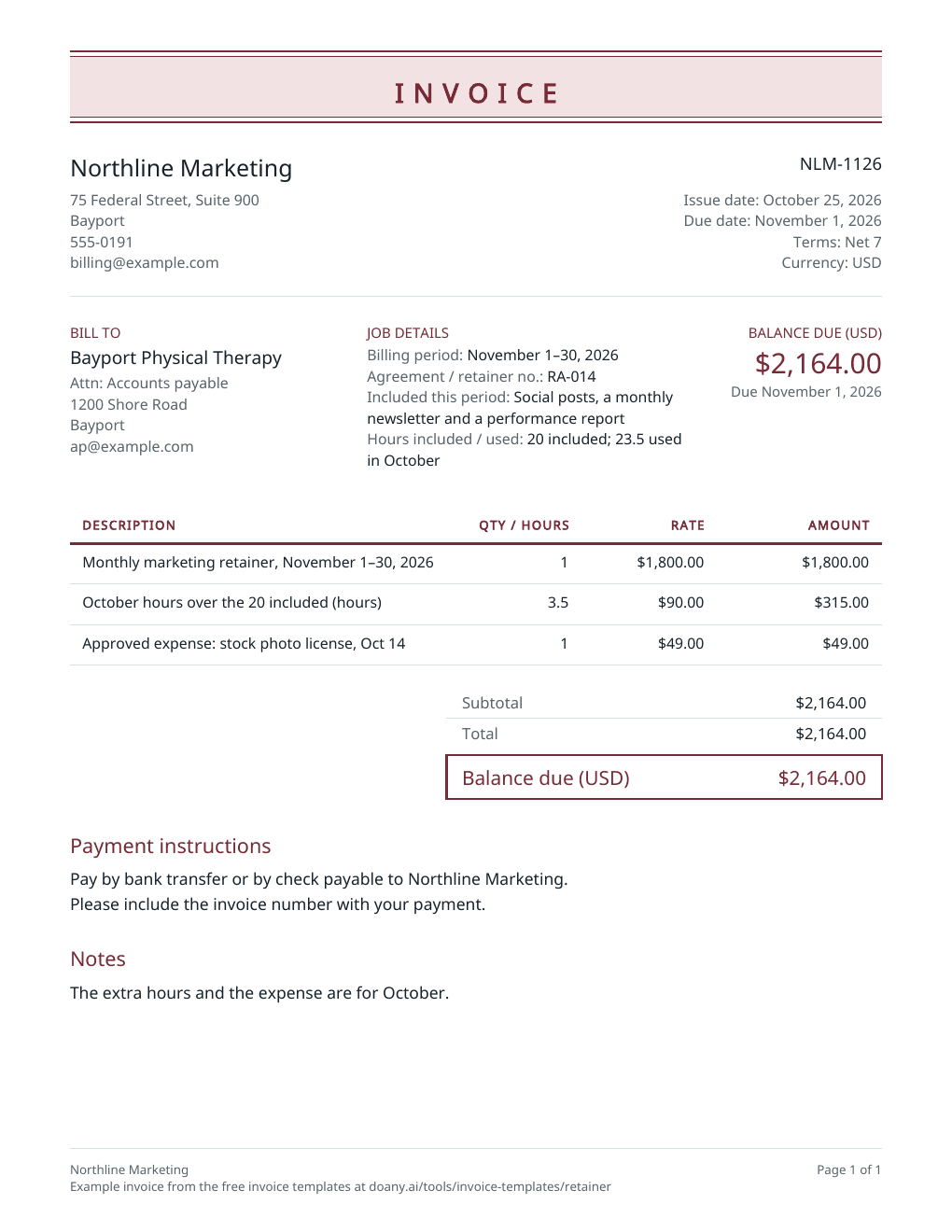
Bill a monthly retainer in advance, with last month’s extra hours and approved expenses on their own lines, and the billing period and agreement named. Print the blank PDF, or edit the filled example below.
- Free to use
- No account needed
Choose your template
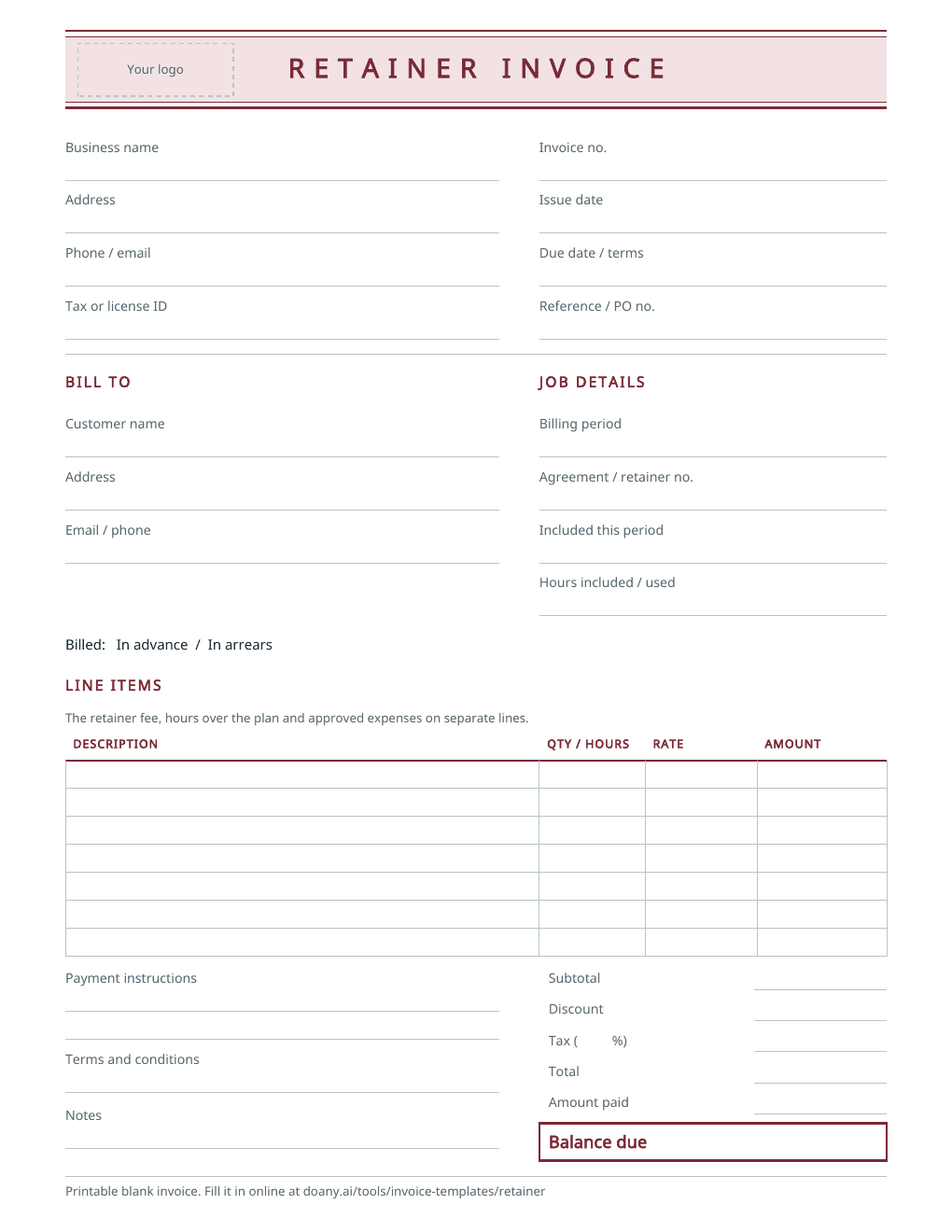
Download a blank PDF to print, view the filled example, or edit the invoice online.
Also on A4 paper: blank · filled example
Your invoice
Check the customer details, tax and payment terms before you send it. This page does not send the invoice or record payments.
$2,164.00Balance due in USD, by November 1, 2026
- Total
- $2,164.00
- Amount paid
- $0.00
Your changes are kept on this device as you work.
Invoice details
Use your real business and customer details.
Your invoice is built in this browser and the latest one is kept on this device until you press Forget on this device. Download a copy to keep it.
What a retainer invoice shows
- Billing period
- In Job details, under Billing period, and in the retainer line’s description: “November 1–30, 2026”.
- Agreement or retainer number
- In Job details, under Agreement / retainer no.
- What the retainer covers
- In Job details, under Included this period, so the client knows what the fee pays for.
- Hours over the plan
- Their own line: the extra hours as the quantity at your overage rate. Job details shows the hours included and used.
- Approved expenses
- Each on its own line with its date, at cost or as agreed.
- Due date
- By the first day of the period, if you bill in advance: Net 7 from October 25 falls on November 1.
Fill in the retainer invoice
The example bills a marketing retainer for November in advance, with October’s extra hours and one approved expense, under a numbered agreement.
Name the agreement and the period
Enter your business details and the client’s accounts contact. In Job details, add the billing period, the agreement number, what the fee covers and the hours included and used. Name the period in the retainer line’s description too.
Add the fee, the extra hours and the expenses
Bill the retainer fee as one line. Add hours over the plan as their own line at your overage rate, and each expense the client approved with its date.
Time the due date, then download
If you bill in advance, issue the invoice before the period starts with terms that make it due by its first day: the example is issued on October 25 on Net 7. Press Update invoice, check it and download the PDF.
Fit the invoice to the retainer
Retainers differ in what the fee buys, so the invoice should say it plainly.
A fixed monthly scope
What to change
Bill the fee as one line and describe the included work in Job details.
Before you use it
The scope in Job details should match the agreement, so nothing included is billed again as extra.
A block of hours
What to change
Bill the block of hours, and on the next invoice add any hours used beyond it at the overage rate.
Before you use it
Show the hours included and used in Job details, or offer the time log.
Billed in arrears
What to change
Bill the month just finished instead, and name that month in the description.
Before you use it
When you switch between billing in advance and in arrears, make sure no month is billed twice.
Check the retainer invoice before you send it
- The billing period is the next one (in advance) or the last one (in arrears), as your agreement says.
- Extra hours match your time log and the agreed overage rate.
- Every expense was approved by the client.
- The agreement number matches the client’s records.
- Each period has its own invoice number.
A service retainer, not money held in trust
This template bills a fee for ongoing services, such as marketing, bookkeeping or IT support. Lawyers and others who hold a client’s retainer in a trust account follow their own rules for billing against it, which this template does not cover.
Each period is a new invoice
The editor makes one invoice at a time; it does not repeat or schedule invoices. For the next period, change the invoice number, the dates, and the period in Job details and in the description, then press Update invoice and download the new PDF.
Made in your browser
The editor builds the preview and the PDF in this browser. It keeps only your latest invoice, on this device, and does not email the invoice, take payments or mark anything as paid; a Pay online link prints as you paste it and goes to your own payment page. Download the PDF or text to keep a copy. An AI answer in the chat sends the invoice’s details with your question, but never your logo, your signature picture or your Pay online link.
Useful answers
What is a retainer invoice?
An invoice for a fee agreed in advance for ongoing work over a period, such as a month of marketing or bookkeeping. It names the period, the agreement and what the fee covers, plus any extra hours or expenses.
Should I bill a retainer in advance or at the end of the month?
Whichever your agreement says. Billing in advance means the fee is paid before the work; billing in arrears bills the month just finished. The example bills November on October 25, due November 1.
How do I bill hours over the retainer?
Add a line for the extra hours, with the hours as the quantity and your overage rate as the unit price, and say which month they were in. The example adds 3.5 hours at $90.00 for October.
Can this template send recurring invoices?
No. It makes one invoice at a time and does not email or schedule anything. For each new period, change the invoice number, dates and period, update the invoice and download it.
Can I print a blank retainer invoice?
Yes. The blank PDF has spaces for the billing period, the agreement number, what the retainer includes, hours included and used, extra hours, expenses and the totals. It comes on US Letter and A4 paper. To fill it in on screen instead, edit the example on this page and download your own PDF.
Is this retainer invoice template free?
Yes. Download the blank or filled PDF, or edit the example and download your own, with no account. The PDF is made in your browser.