For landscaping and lawn care
Free landscaping invoice template
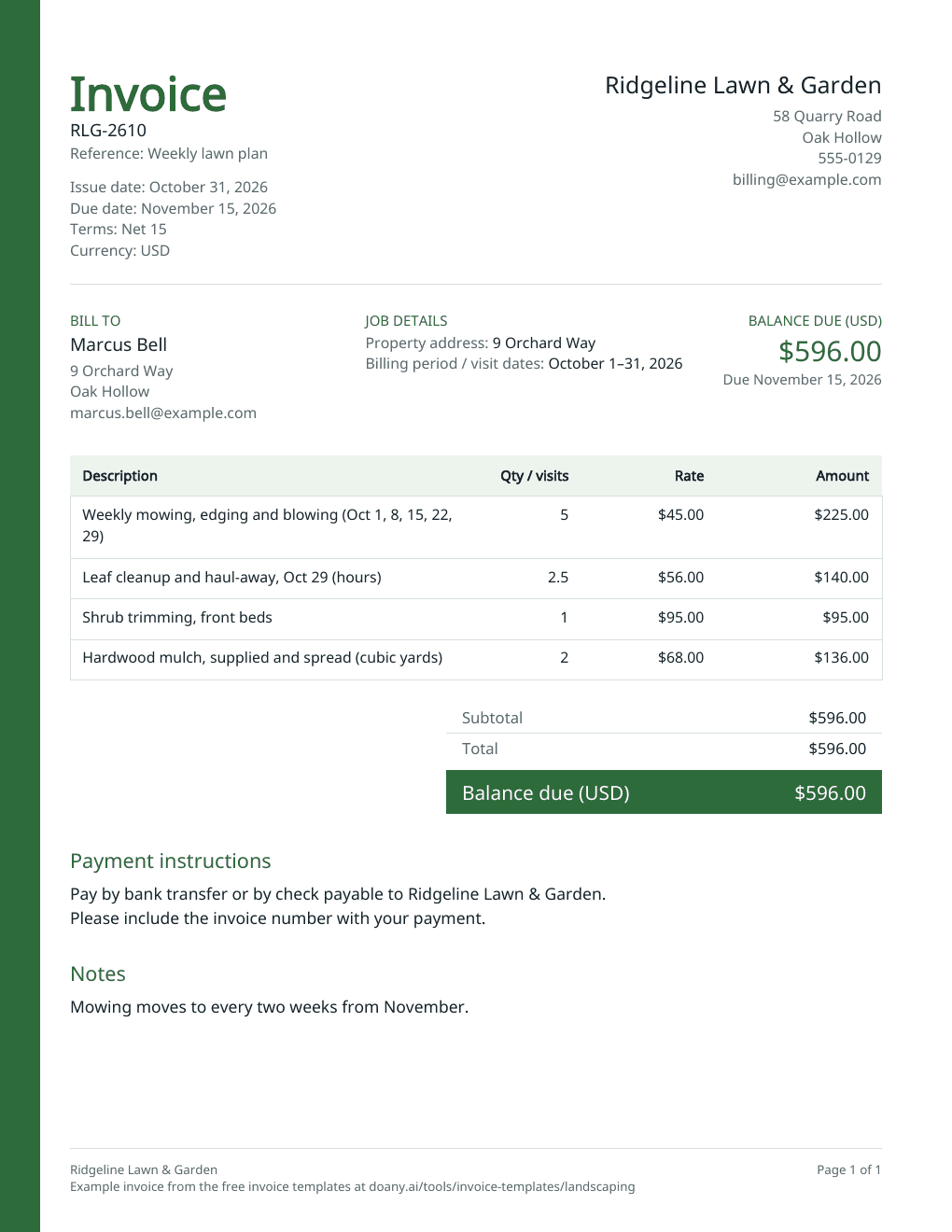
Bill a month of mowing, a cleanup and the materials you supplied on one invoice, with the service dates the client can check. Print the blank PDF, or edit the filled example below.
- Free to use
- No account needed
Choose your template
Download a blank PDF to print, view the filled example, or edit the invoice online.
Also on A4 paper: blank · filled example
Your invoice
Check the customer details, tax and payment terms before you send it. This page does not send the invoice or record payments.
$596.00Balance due in USD, by November 15, 2026
- Total
- $596.00
- Amount paid
- $0.00
Your changes are kept on this device as you work.
Invoice details
Use your real business and customer details.
Your invoice is built in this browser and the latest one is kept on this device until you press Forget on this device. Download a copy to keep it.
What a landscaping invoice shows
- Property address
- In Job details, beside Bill to. It can differ from the billing address, such as a rental.
- Billing period and visit dates
- In Job details, under Billing period / visit dates, and in the line’s description, so the client can check each visit.
- Recurring visits
- One line, with the number of visits as the quantity and your price per visit.
- One-off jobs
- Their own lines: cleanups, trimming or planting, by the job or by the hour.
- Materials
- In the unit you sell them in: bags, cubic yards, plants or flats.
- Plan or contract name
- In Reference or PO number.
Fill in the landscaping invoice
The example bills a month of weekly mowing, a leaf cleanup by the hour, shrub trimming and mulch for a client on a weekly lawn plan.
Add your business and the property
Enter your business details and the client. Add the property you work on and the billing period in Job details, beside Bill to.
Bill the visits and the extras
Put recurring visits on one line, with the number of visits as the quantity and the dates in the description. Add cleanups, trimming and planting as their own lines, by the job or by the hour, and materials by the bag, yard or plant.
Set the period and terms, then download
Date the invoice for the billing period, for example its last day, and choose the terms you agreed. Press Update invoice, check the preview and download the PDF.
Fit the invoice to the work
Lawn care, seasonal work and installs are billed differently. The template handles each with different lines.
Monthly lawn care
What to change
Bill the month’s visits on one line and list the dates, with any extra visit on its own line.
Before you use it
Count only the visits you made: a week skipped for rain is not billed.
Seasonal cleanup
What to change
Bill the cleanup by the job or by the hour, with haul-away or dump fees on their own line.
Before you use it
Check the hours against your crew’s time for the day.
Planting or hardscape install
What to change
List plants, stone or pavers by the unit, labor by the hour or by the job, and any deposit in Amount already paid.
Before you use it
Material quantities should match what was delivered and installed.
Check the landscaping invoice before you send it
- The billing period and the number of visits are right.
- Materials are billed in the units you quoted them in.
- Every extra job was agreed with the client.
- Any tax rate is the one that applies to landscaping where you work; leave it blank if none applies.
- The invoice number has not been used before.
Visits and materials by the unit
Quantities can have up to four decimal places, so 2.5 hours or 1.5 cubic yards work as typed. Each line is quantity × unit price, rounded half up to the cent: in the example, 2.5 hours at $56.00 is $140.00.
Tax on landscaping
Some states tax lawn care and landscaping services and some do not, and materials can be taxed differently from labor. The example has no tax. If a rate applies to the whole invoice, enter it in Tax rate; if only part is taxable, add that tax as its own line and leave Tax rate blank.
Made in your browser
The editor builds the preview and the PDF in this browser. It keeps only your latest invoice, on this device, and does not email the invoice, take payments or mark anything as paid; a Pay online link prints as you paste it and goes to your own payment page. Download the PDF or text to keep a copy. An AI answer in the chat sends the invoice’s details with your question, but never your logo, your signature picture or your Pay online link.
Useful answers
What should a landscaping invoice include?
Your business and contact details, the client and the property address, an invoice number and date, each visit or job with its date, materials by the unit, the total, the due date and how to pay.
How do I invoice weekly lawn mowing?
Send one invoice per billing period, such as each month. Put the visits on one line with the number of visits as the quantity, list the dates, and give each month’s invoice a new number.
How do I charge for mulch, soil or plants?
Add each material on its own line, in the unit you sell it in, such as cubic yards of mulch or flats of annuals, at your price per unit. Delivery or haul-away can go on its own line.
Can I turn my landscaping estimate into an invoice?
Yes. On DoAny’s landscaping estimate template, press Make an invoice from this estimate: this page opens with the services the client accepted, their prices and the client’s name filled in. Add the billing period and any extra work they approved, then check the invoice and download it.
Can I print a blank landscaping invoice?
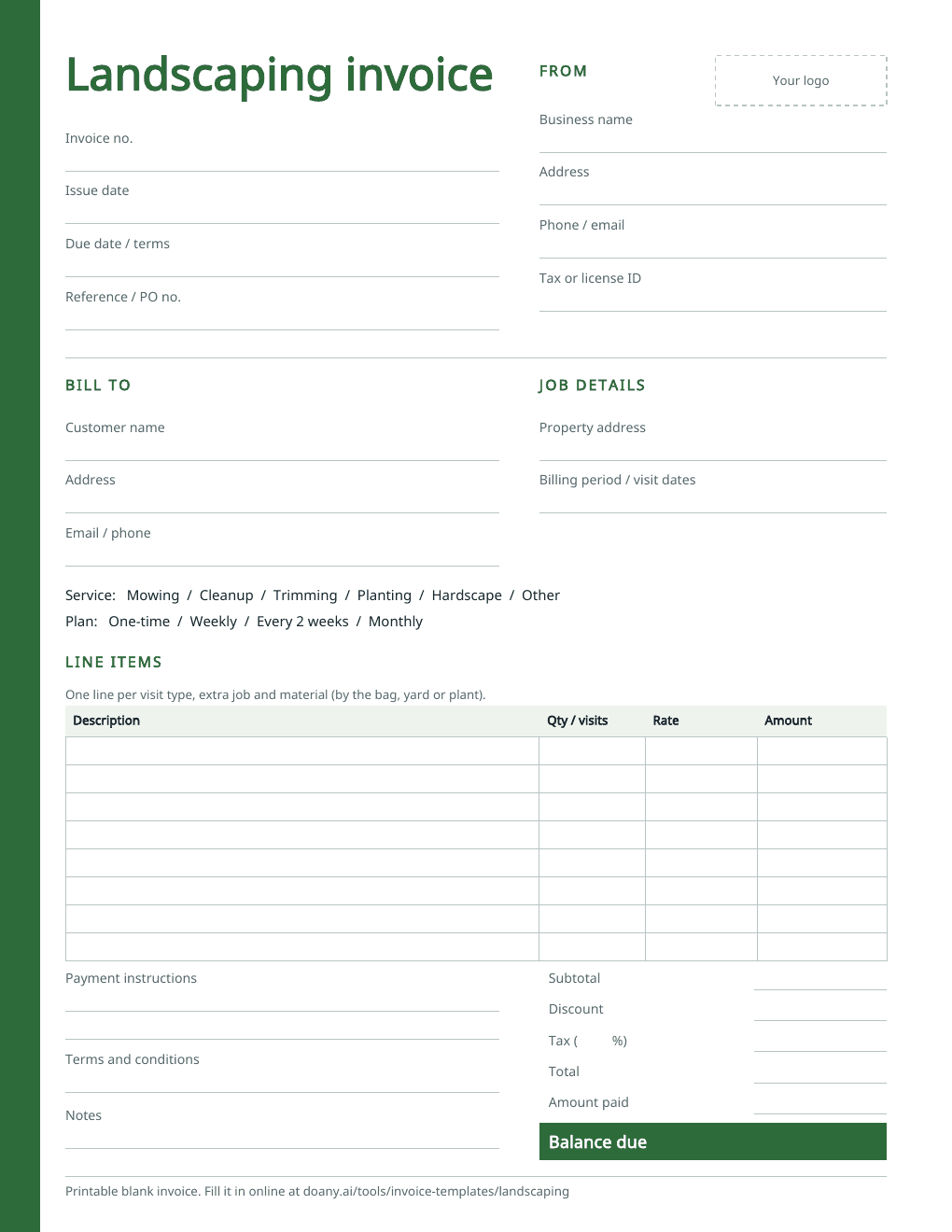
Yes. The blank PDF has spaces for the property address, the billing period, the type of service and plan, each visit and material, and the totals. It comes on US Letter and A4 paper. To fill it in on screen instead, edit the example on this page and download your own PDF.
Is this landscaping invoice template free?
Yes. Download the blank or filled PDF, or edit the example and download your own, with no account. The PDF is made in your browser.